Manual Task Lists Can Be Missed
Sticky notes, spreadsheets, verbal reminders, and separate lists can create missed follow-ups and unclear ownership.
EMR-EHRs Task Management Feature helps healthcare practices create patient-linked tasks, assign staff owners, manage provider and staff worklists, track due dates, priorities, overdue items, completion history, and secure task records where supported.
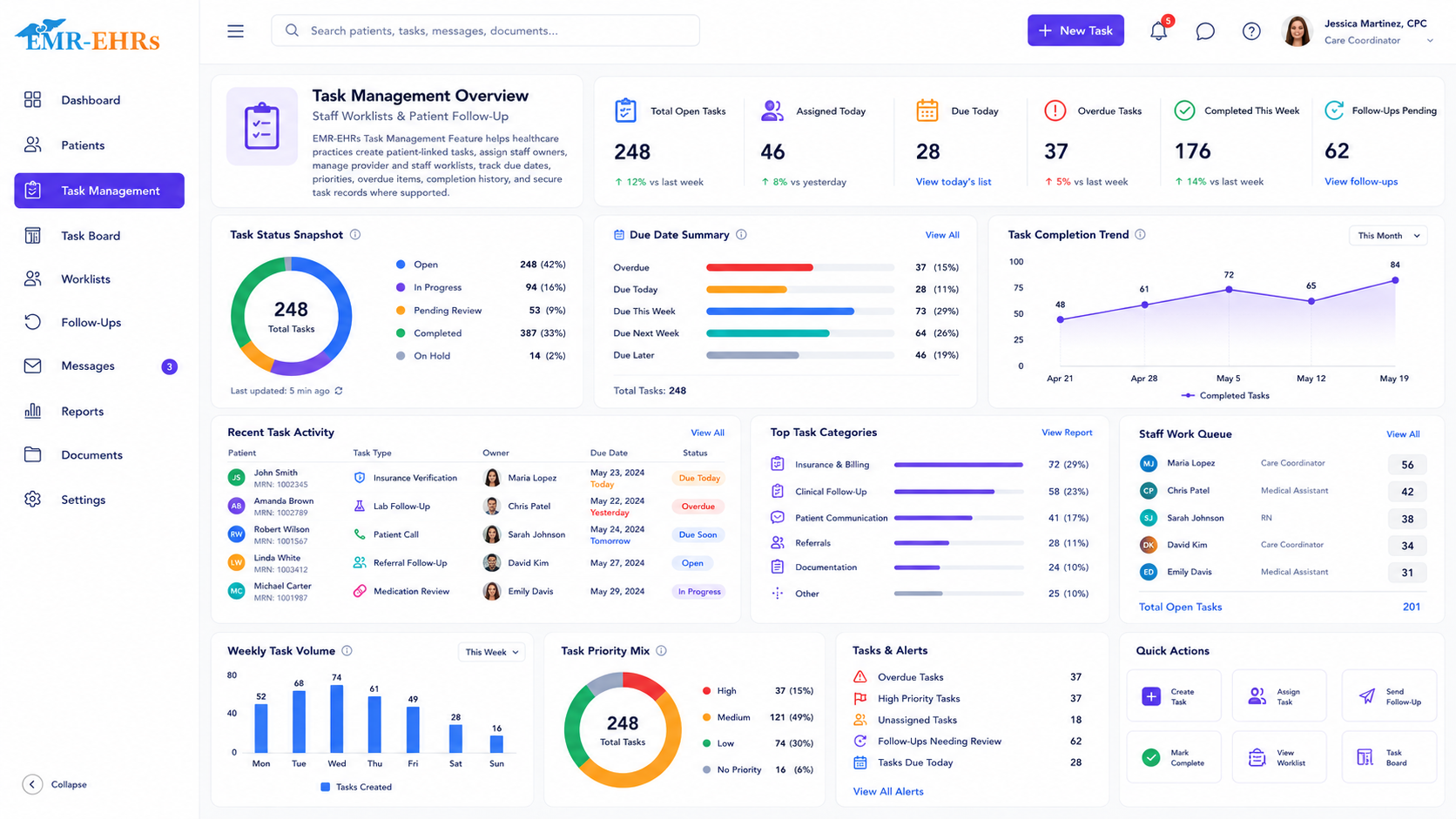
The EMR-EHRs Task Management Feature helps healthcare practices create, assign, track, and complete patient-linked tasks, staff worklists, provider tasks, follow-up items, due dates, priorities, statuses, and secure task history where supported.
EMR-EHRs Task Management Feature helps teams keep patient follow-up work visible, assigned, trackable, and connected to the EMR workflow.
Sticky notes, spreadsheets, verbal reminders, and separate lists can create missed follow-ups and unclear ownership.
Teams need to know who owns each callback, form, document, lab follow-up, appointment task, or billing item.
Unfinished tasks should remain visible by due date, priority, owner, patient, category, and status where supported.
Completion notes, staff actions, reassignment, status changes, and task history should stay connected to patient records where supported.
A provider or staff member creates a patient task, follow-up item, worklist task, callback, document task, or administrative item.
The user adds task category, message, patient context, related workflow, notes, or instructions.
The task receives a due date, priority, urgency, reminder status, or escalation level where supported.
The task is assigned to a provider, staff member, billing team, front desk team, administrator, or shared queue where supported.
The task appears in provider worklists, staff queues, patient chart views, dashboards, or reports where supported.
Users update status, add completion notes, reassign, defer, escalate, or close the task while history is saved where supported.
Designed to support secure patient task workflows, role-based task permissions, and audit-friendly task activity records where supported.
Review patient follow-up tasks, chart review items, clinical worklists, and overdue items where supported.
Manage callbacks, lab follow-ups, document tasks, care reminders, and patient communication tasks.
Track appointment tasks, form requests, patient calls, check-in items, and scheduling follow-ups.
Manage billing reminders, insurance tasks, claim follow-up, document requests, and patient account tasks where supported.
Monitor staff worklists, overdue tasks, completion trends, task volume, and reports.
Standardize task categories, ownership, due dates, priorities, and reports across providers.
The EMR-EHRs Task Management Feature helps healthcare practices create, assign, track, and complete patient-linked tasks, staff worklists, provider tasks, follow-up items, due dates, priorities, and secure task history where supported.
Tasks can be assigned to providers, clinical staff, front desk teams, billing teams, care coordinators, administrators, or team queues where supported.
Yes, where supported. Teams can track pending, active, in-progress, completed, deferred, reassigned, escalated, and overdue tasks.
Yes, where supported. Tasks can stay connected to the patient chart, related notes, follow-up requirements, documents, appointments, labs, billing items, or patient communication history.
It gives teams clearer ownership, due dates, worklists, overdue visibility, completion history, and reports so follow-up work is easier to monitor and close.
Create patient tasks, assign owners, track due dates, manage worklists, monitor overdue items, and maintain secure task history with the EMR-EHRs Task Management Feature where supported.
Phone: (480) 782-1116 | Email: info@emr-ehrs.com