Independent medical practices
Run daily clinical, front desk, billing, and patient communication workflows from one connected system.
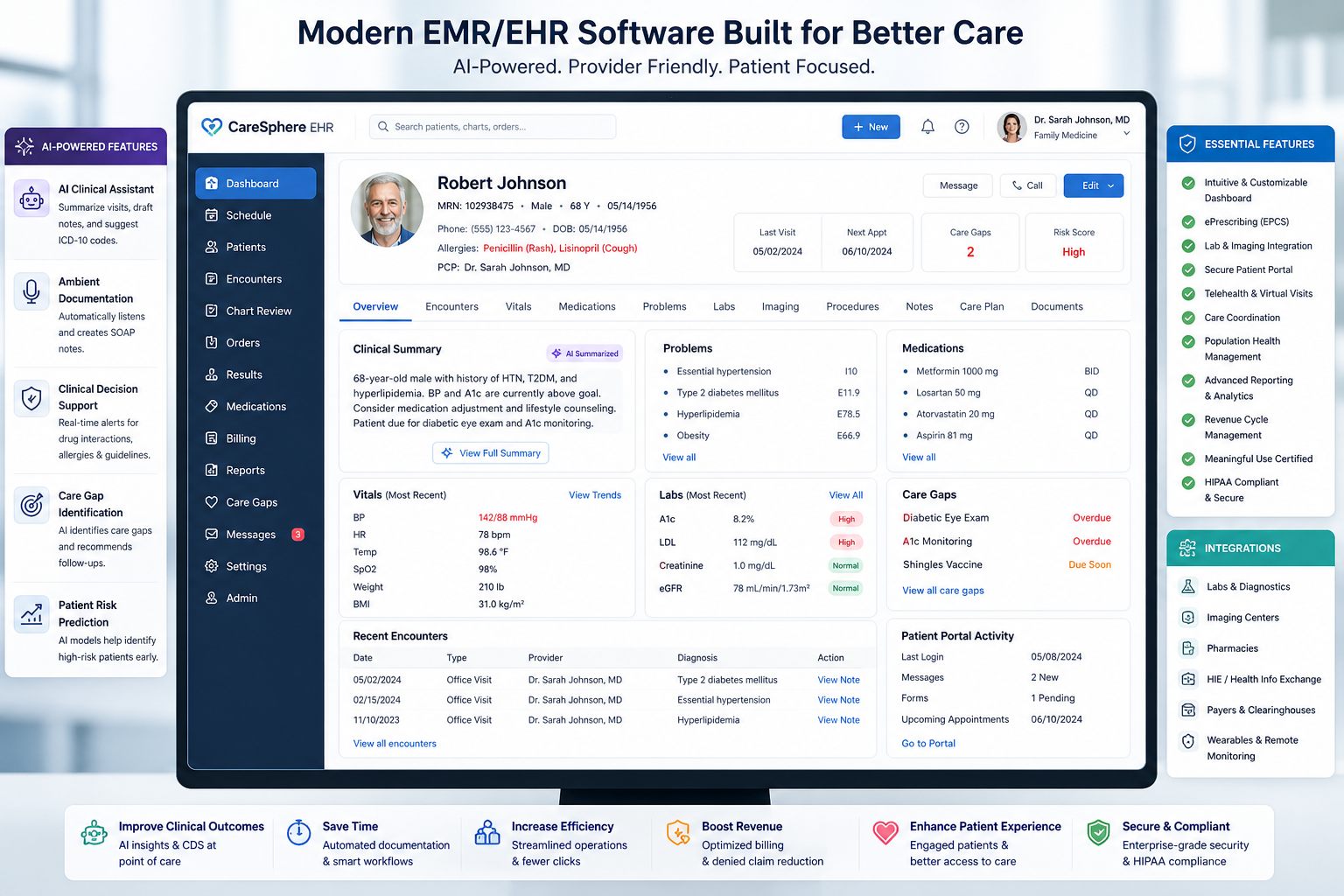
EMR-EHRs provides EHR software for U.S. medical practices that need a better way to manage patient records, clinical documentation, scheduling, e-prescribing, patient communication, billing workflows, reporting, and specialty-specific care from one connected platform.
Direct Answer
EHR software, or Electronic Health Records software, is a digital healthcare system used by medical practices to create, store, manage, update, and access patient health information. In daily practice, EHR software helps providers and staff manage the full patient journey, from appointment scheduling and intake to documentation, treatment, billing coordination, follow-up, and reporting.
Built For
EMR-EHRs is built for medical practices that need an EHR system that supports real clinical, administrative, billing, and patient engagement workflows.
Run daily clinical, front desk, billing, and patient communication workflows from one connected system.
Use specialty-aware templates, forms, visit types, and documentation workflows where supported.
Replace fragmented tools with a practical EHR that supports the full patient journey.
Coordinate providers, staff, schedules, records, billing, and reports across teams.
Support consistent records, user access, reporting, and operational workflows across locations.
Move toward cleaner documentation, better visibility, and connected billing workflows.
Practice Challenges
Your EHR should not feel like extra work. It should help providers document faster, help staff manage the day with less friction, help billing teams work from cleaner information, and help patients stay connected to their care.
Providers need faster charting, reusable templates, cleaner history review, and fewer after-hours note burdens.
Staff should be able to review records, forms, medications, allergies, labs, documents, and visit history without hunting across systems.
Cleaner documentation and connected billing workflows help reduce manual follow-up where supported.
Portal, forms, messages, reminders, and records access should support the patient experience where available.
Practice leaders need clinical, operational, billing, and productivity visibility without manual spreadsheet work.
Specialty practices need templates and workflows shaped around the way providers actually deliver care.
Core Features
EMR-EHRs helps practices connect records, documentation, front desk tasks, patient communication, billing workflows, reporting, and specialty care into a more organized system.
Create and manage patient demographics, medical history, allergies, medications, vitals, documents, visit history, and chart summaries where supported.
Support SOAP notes, specialty templates, forms, visit documentation, signatures, addenda, and audit-friendly note history where available.
Use AI-assisted summaries, note drafts, documentation gap review, and workflow summaries where available, with qualified users responsible for final review.
Support prescription creation, medication history, refill requests, pharmacy details, and medication workflow visibility where supported.
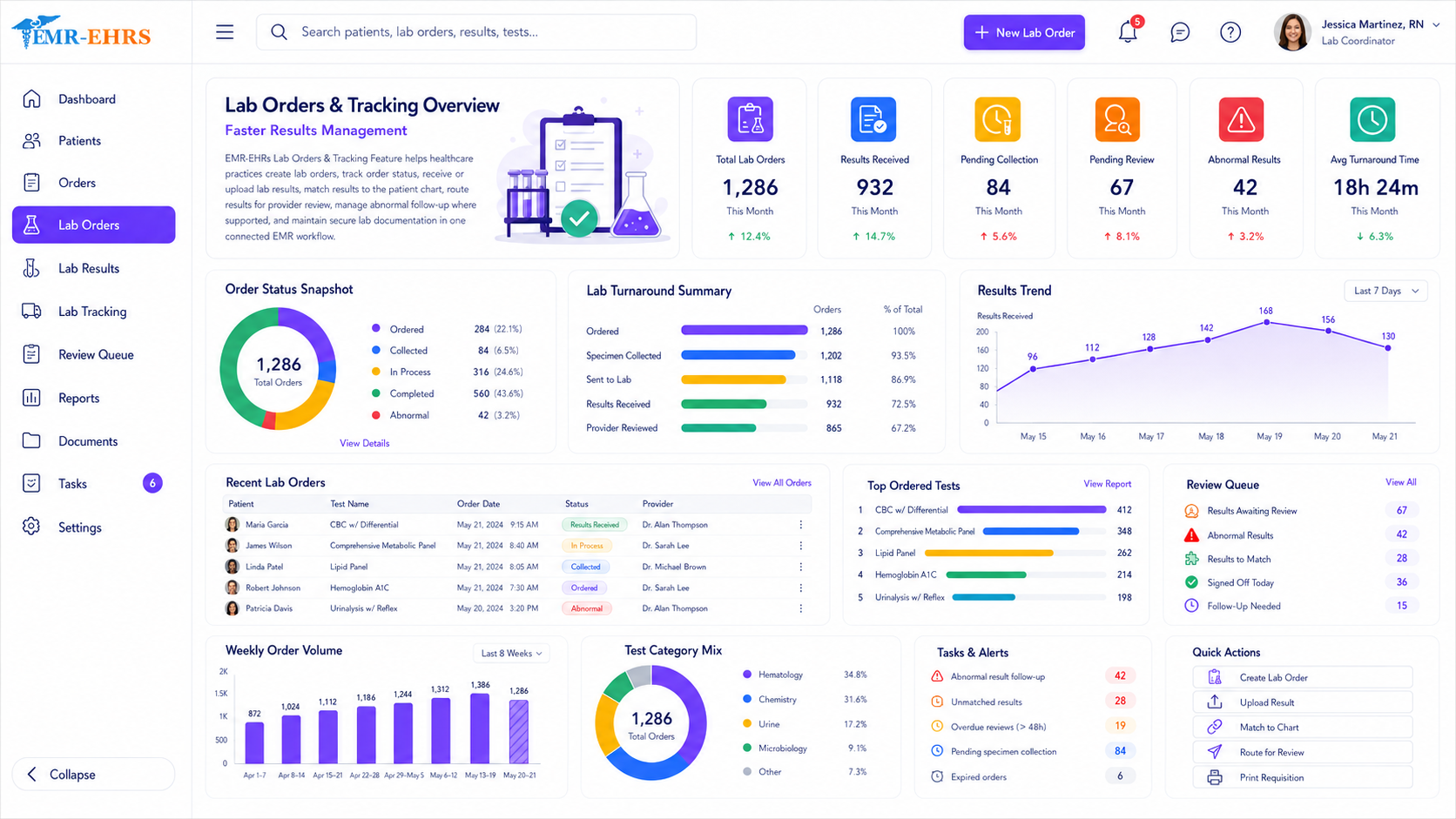
Create orders, receive or upload results, route results for provider review, and manage result follow-up where supported.
Connect provider schedules, appointment status, check-in, check-out, reminders, and patient flow where supported.
Collect patient forms, profile updates, consent forms, insurance details, and pre-visit information where available.
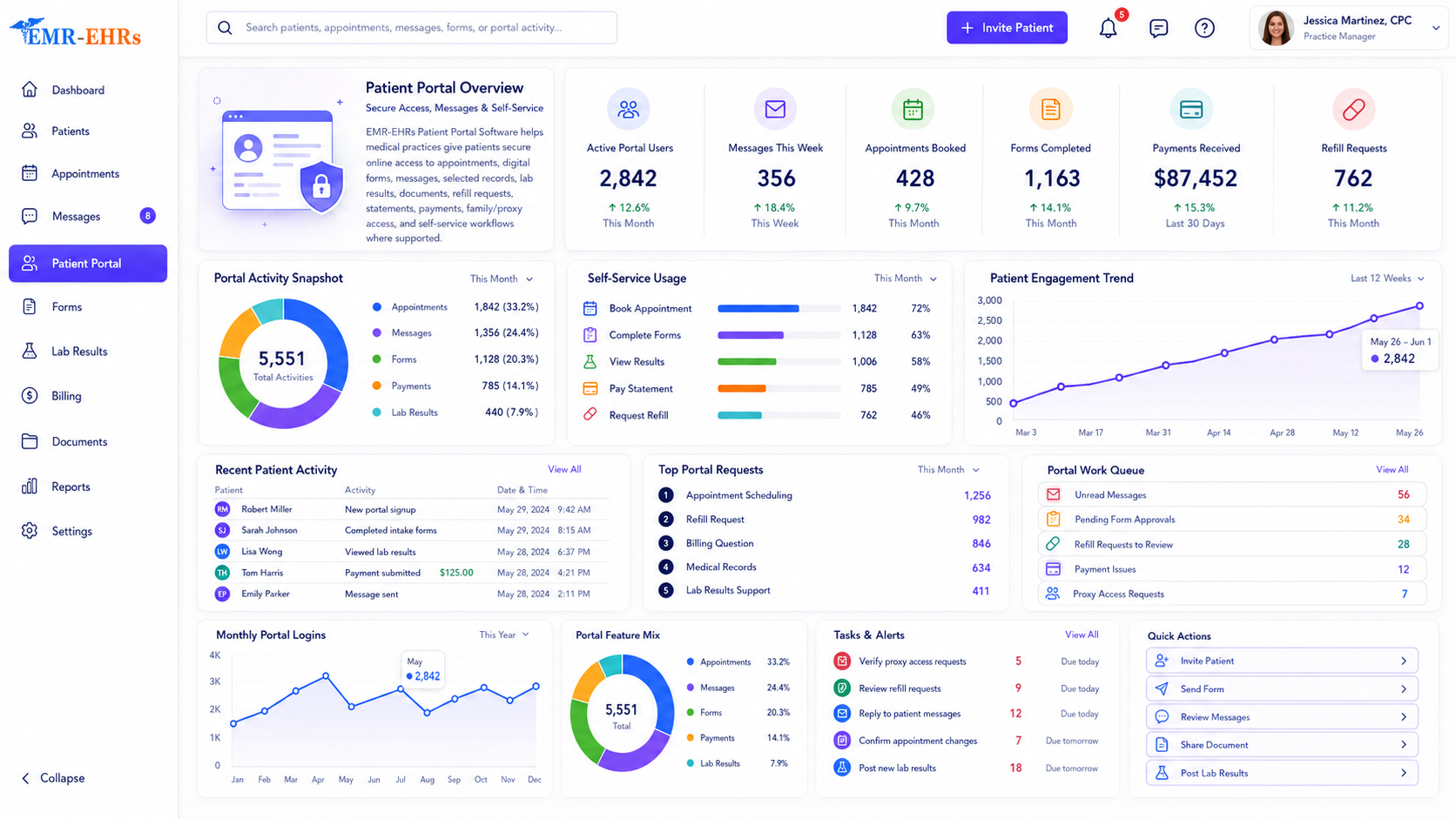
Support selected records access, messages, forms, appointments, results, refill requests, statements, and payments where supported.
Support virtual care workflows, appointment visibility, documentation, and patient communication where available.
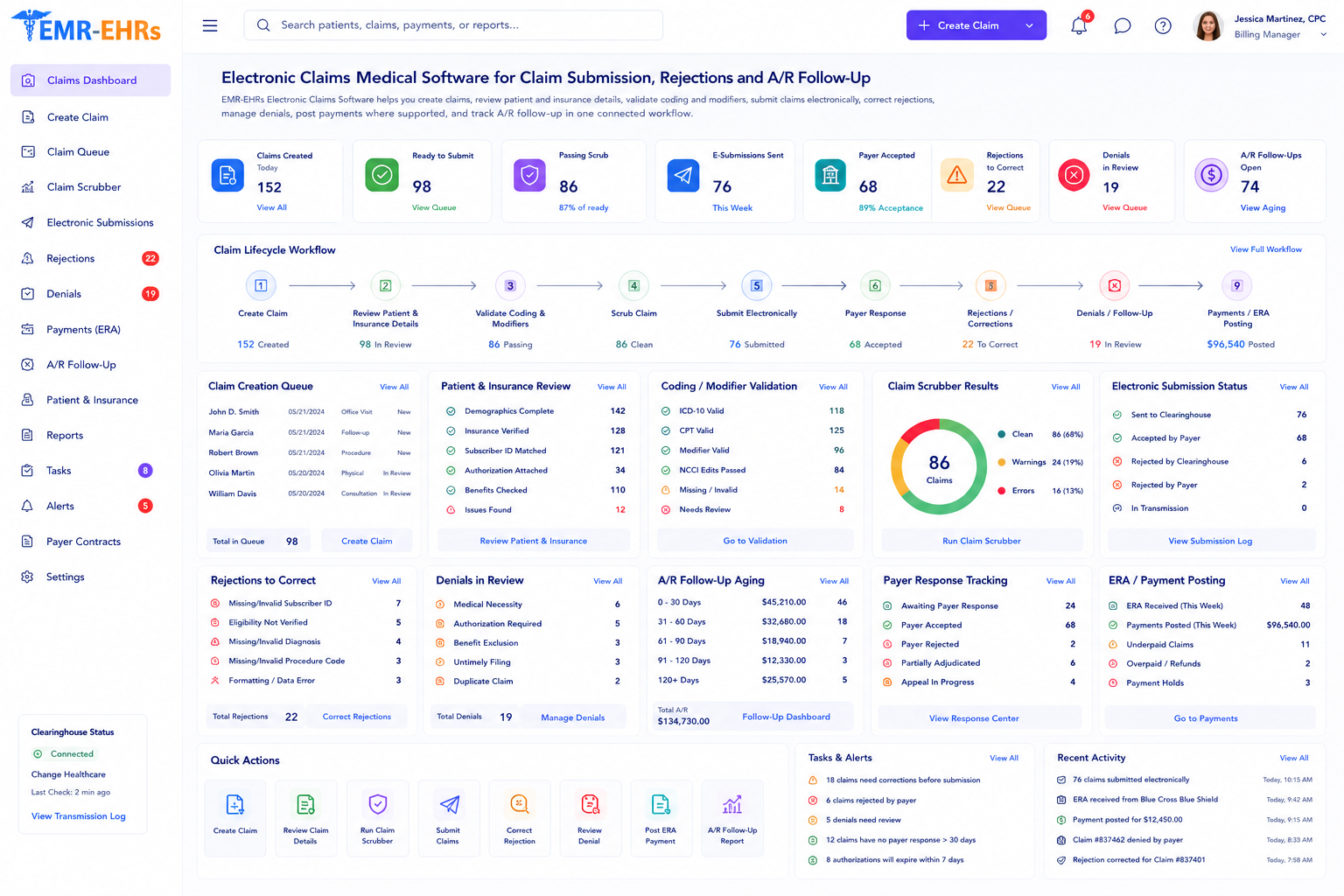
Connect documentation, diagnosis details, charges, claims, payments, denials, and patient balances where supported.
Review clinical activity, productivity, appointments, documentation status, billing readiness, and operational reports where supported.
Support secure web-based access, multi-location workflows, and remote practice visibility where available.





Responsible AI Support
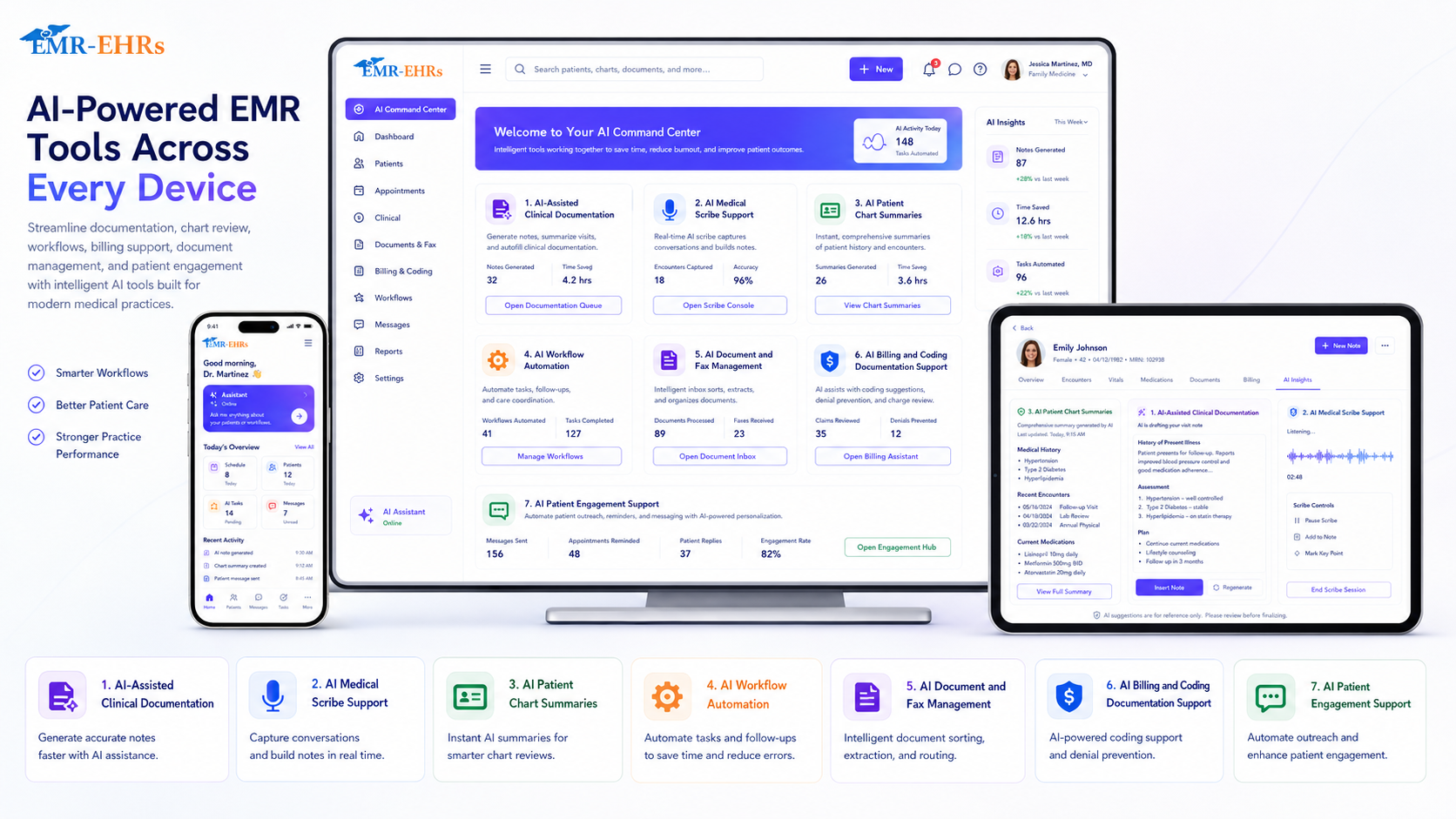
AI is becoming more important in EHR software because providers and staff need help reducing repetitive work. EMR-EHRs supports AI-assisted workflows where applicable, but AI should support the provider, not replace the provider. Clinical review, approval, and final decision-making should remain with the healthcare professional.
Support repetitive note work, chart review, visit preparation, and draft documentation where available.
Assist with structured note creation while keeping provider review and approval in place.
Help summarize chart context, visit history, medications, problems, and recent activity where supported.
Support task summaries, follow-up reminders, document routing, and administrative workflows where available.
Help organize incoming documents, attachments, and practice communication where supported.
Help billing teams work from clearer documentation context where available.
Small Practices and Growing Groups
Small practices need EHR software that is easy to use, practical, and efficient. Growing practices need more flexibility, including user permissions, multi-provider workflows, multi-location support, reporting, onboarding, and scalable workflow design.
Support patient profiles, demographics, insurance details, forms, scheduling, and chart setup where available.
Connect appointment scheduling, intake, documentation, prescriptions, labs, communication, and follow-up workflows.
Support permissions, provider schedules, multi-location visibility, billing documentation support, and reporting as the practice grows.
Connected Workflow
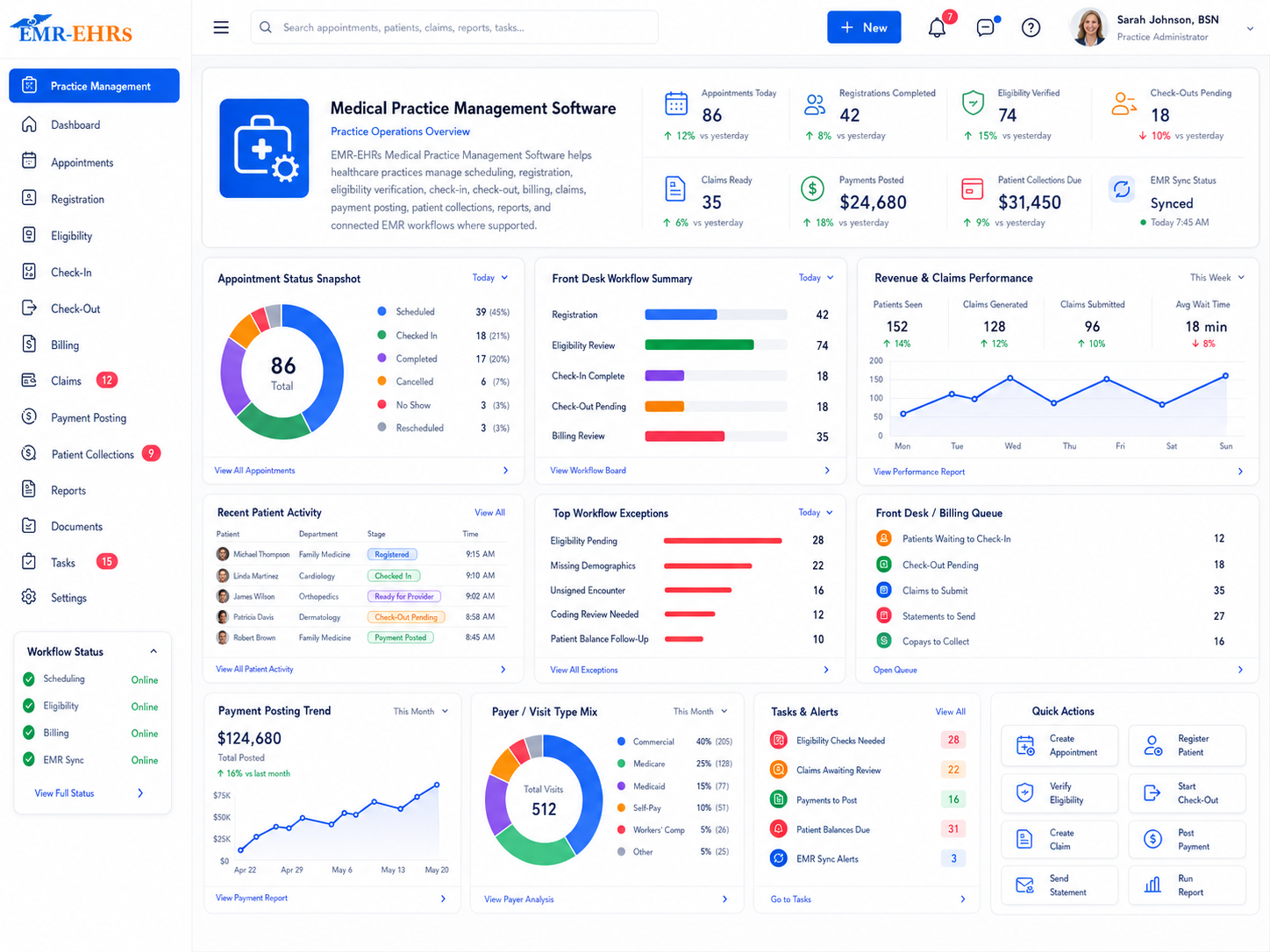
EMR-EHRs helps clinical, administrative, and billing teams work from connected information. Documentation can support billing readiness, scheduling can connect with intake, patient communication can connect with records, and reports can give leaders better visibility where supported.
Connect notes, diagnosis details, procedures, charge workflows, claims, payments, denials, and A/R where supported.
Connect scheduling, intake forms, check-in, check-out, eligibility, demographics, and patient communication where available.
Scheduling starts the workflow with appointment type, provider, location, and patient details.
Patients can complete demographics, insurance details, consent forms, and visit-specific forms where available.
Front desk and administrative teams can review patient information before care begins.
Clinical notes, diagnoses, orders, prescriptions, and care plans are managed in the patient record.
Medication, lab, imaging, referral, and follow-up workflows can stay connected to the chart where supported.
Billing teams can work from cleaner clinical context, charge details, and claim readiness signals where available.
Portal, messaging, reminders, statements, and follow-up instructions can support the next step.
Leaders can review clinical, operational, billing, and workflow data where supported.
Digital Front Door
Patients increasingly expect digital access to appointments, forms, messages, selected records, results, statements, payments, and follow-up information. EMR-EHRs supports patient engagement workflows where available while keeping staff review and secure access controls central.
Support patient messages, forms, appointment requests, results, documents, statements, and self-service workflows where supported.
Keep patient requests, reminders, refill needs, follow-up actions, and billing questions easier to manage where available.
Specialty Care
Specialty practices need EHR workflows that fit their clinical documentation, forms, visit types, billing needs, and reporting requirements. EMR-EHRs supports specialty-aware workflows where available.
Connected Care
Modern healthcare requires better access to patient information. Practices need systems that support data access, exchange, and coordination across care settings where integrations and standards apply.
Security and Privacy
EHR software handles sensitive patient information, so security and privacy should be treated as core requirements. Avoid choosing an EHR based only on features. Trust, security, support, and workflow fit matter just as much.
Comparison
Practices should choose an EHR that supports the way they document, schedule, communicate, bill, report, and grow.
General charting tools
Specialty-aware clinical workflows where supported
Basic templates
Templates, forms, visit types, and AI-assisted support where available
Often separate
Connected billing, claims, payment, and A/R workflows where supported
Limited or disconnected
Portal, forms, reminders, messages, and self-service where available
Basic exports
Clinical, operational, billing, productivity, and practice reports where supported
Generic setup
Workflow review, configuration, training, and support
Implementation
A successful EHR launch depends on more than software features. Implementation quality can determine whether the system becomes a helpful workflow tool or another source of frustration.
Review scheduling, intake, documentation, billing, patient communication, reporting, and specialty workflows.
Configure clinical templates, specialty fields, forms, visit types, and reusable documentation structures.
Set provider, staff, billing, manager, and administrator access around real responsibilities.
Train users on charting, scheduling, intake, e-prescribing, billing handoffs, reports, and daily workflows.
Plan patient record, document, demographic, and historical data movement where applicable.
Support launch, adoption, workflow tuning, report review, and ongoing improvement after implementation.
Buyer Checklist
The best EHR software should support the full practice, not just the patient chart. Use this checklist when comparing EHR systems.
Why EMR-EHRs
EMR-EHRs is designed for practices that want a practical, connected, and specialty-aware EHR system without unnecessary complexity.
Support clinical documentation, scheduling, patient communication, billing, reporting, and daily operations in one connected workflow.
Configure templates, visit types, documentation flows, and reports around the way your practice works where supported.
Get help with workflow review, setup, training, reporting, user access, and ongoing support where available.
Related Solutions
FAQs
EHR software is a digital healthcare system used by medical practices to create, store, update, and manage patient health information, clinical documentation, prescriptions, scheduling, communication, billing workflows, and care coordination in one connected platform.
EMR-EHRs EHR Software is built for independent practices, specialty clinics, small practices, multi-provider groups, multi-location practices, new practices, and practices replacing outdated systems.
EHR software can connect provider notes, diagnoses, orders, procedures, charge details, claim readiness, billing follow-up, and reporting so clinical and billing teams work from cleaner information where supported.
Yes, EMR-EHRs supports specialty-aware workflows, templates, forms, visit types, documentation needs, billing support, and reporting where available for a wide range of medical specialties.
Practices should look for clear charting, specialty templates, scheduling, e-prescribing, lab workflows, patient portal access, billing connection, reporting, secure access, implementation help, training, and support.
Talk with EMR-EHRs about EHR software for patient records, clinical documentation, scheduling, e-prescribing, patient communication, billing workflows, reporting, and specialty-specific care.