Patient Files Can Be Hard to Find
Documents stored in folders, shared drives, paper files, or disconnected tools can slow down patient care and staff workflows.
EMR-EHRs Document Management Feature helps healthcare practices organize patient chart files, scanned records, uploaded documents, forms, referrals, letters, reports, review queues, secure access, and audit-friendly document history where supported.
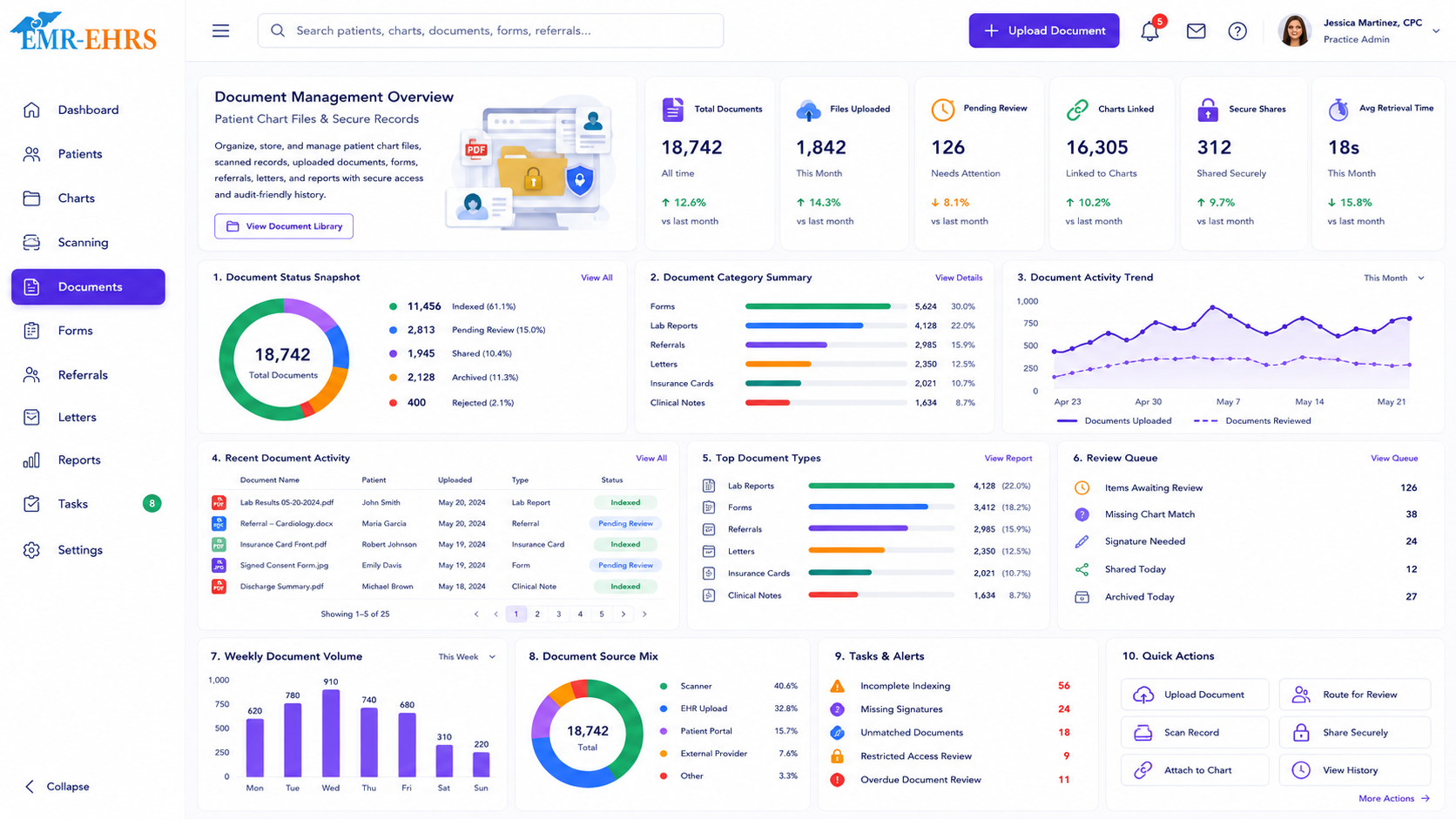
The EMR-EHRs Document Management Feature helps healthcare practices organize, attach, route, search, and securely manage patient-linked documents inside the EMR workflow where supported.
EMR-EHRs Document Management Feature helps teams keep patient chart files, scanned records, uploaded documents, forms, referrals, letters, reports, and secure document history connected to the patient record.
Documents stored in folders, shared drives, paper files, or disconnected tools can slow down patient care and staff workflows.
Forms, referrals, outside records, reports, letters, and billing paperwork should stay connected to the correct patient chart.
Documents may need review by providers, clinical staff, billing teams, front desk teams, or administrators.
Patient documents may include PHI, signatures, clinical records, payer details, and billing information that require controlled access.
Staff starts from the correct patient record or searches for the patient before attaching a document.
The file may come from scanning, upload, forms, letters, referrals, reports, or outside records where supported.
Staff adds document type, category, date, source, status, owner, notes, or tags where supported.
The document becomes available to authorized users in the patient-linked document workflow.
Documents can be routed to providers, staff, billing, front desk, or admin queues where supported.
Teams review document status, pending reviews, completed items, activity history, and reports where supported.
Designed to support secure patient document workflows, role-based document permissions, and audit-friendly document activity records where supported.
Attach intake documents, IDs, insurance cards, referrals, and registration paperwork to the correct patient chart.
Review outside records, diagnostic reports, referrals, forms, and clinical documents inside the patient chart.
Manage clinical forms, follow-up documents, patient instructions, and review queues where supported.
Access insurance documents, authorizations, billing forms, claim support documents, and payer paperwork where supported.
Monitor document volume, pending review queues, document categories, secure access, and reports where supported.
Use consistent categories, document workflows, permissions, and reports across locations where supported.
The EMR-EHRs Document Management Feature helps healthcare practices organize patient-linked documents, uploaded files, scanned records, forms, letters, reports, referrals, billing paperwork, and secure document history inside the EMR workflow where supported.
Yes, where supported. Staff can attach documents to the correct patient chart, assign categories, add dates or notes, and keep document activity connected to patient records.
The feature can help manage intake forms, consent forms, IDs, insurance cards, referrals, outside records, lab reports, diagnostic reports, letters, billing documents, and administrative files where supported.
Yes, where supported. Documents can be routed to providers, clinical staff, billing teams, front desk teams, or administrators for review, follow-up, and completion tracking.
The feature supports role-based document access, patient-linked history, secure document workflows, and audit-friendly document activity records where supported.
Organize patient chart files, scanned records, forms, referrals, letters, reports, review queues, secure access, and audit-friendly document history with the EMR-EHRs Document Management Feature where supported.
Phone: (480) 782-1116 | Email: jason@1stproviderschoice.com
