EMR Issues Can Interrupt Patient Care
Providers need access to charts, notes, patient records, documents, medications, allergies, and daily clinical workflows where supported.
EMR-EHRs EMR Support Services help medical practices troubleshoot EMR/EHR software issues, resolve user access problems, support daily workflows, manage support requests, escalate complex issues, and improve user confidence where supported.
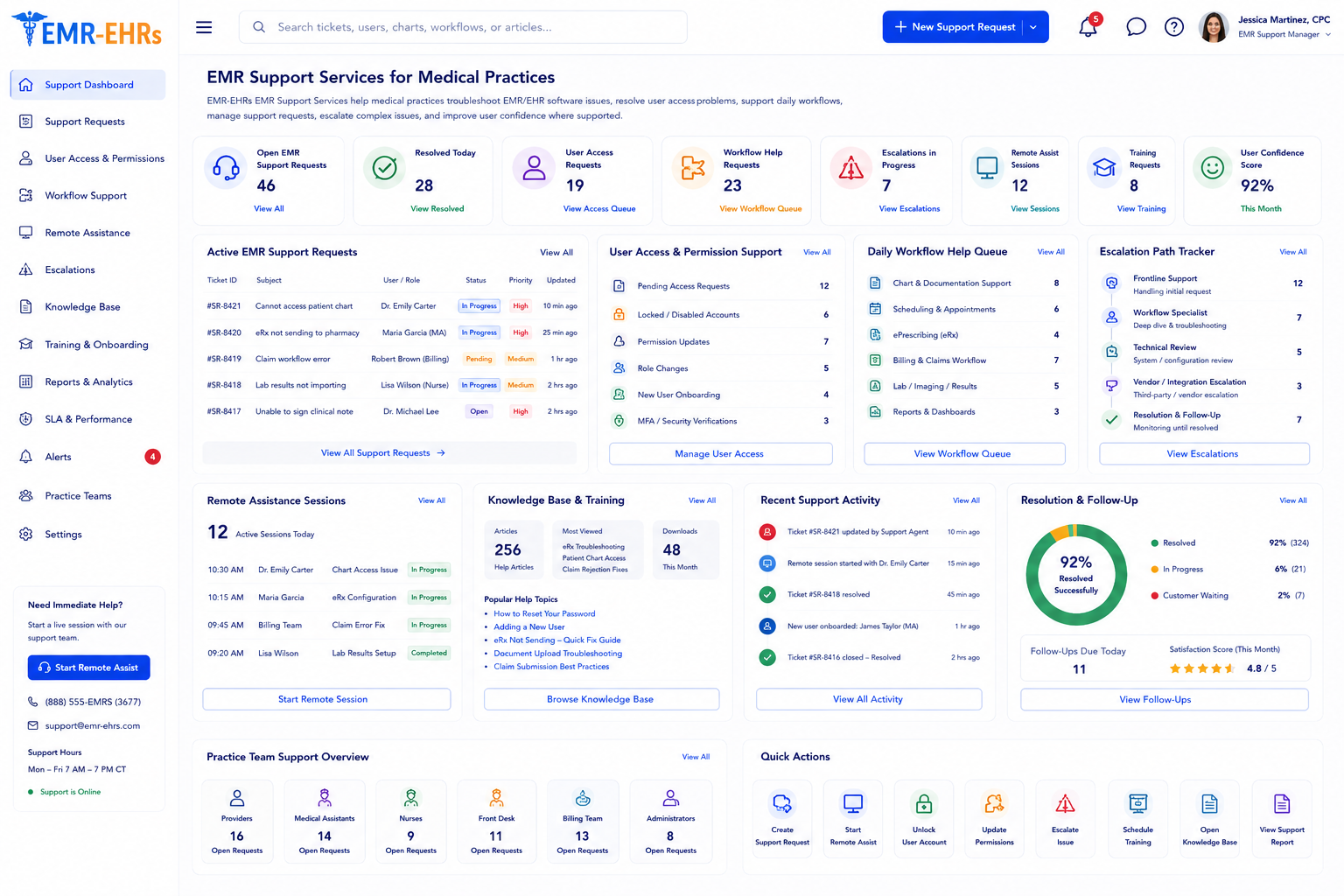
EMR support services help medical practices troubleshoot and resolve issues related to EMR/EHR software, user access, workflow questions, scheduling, billing workflows where supported, reports, documents, patient workflows, and staff questions.
EMR-EHRs EMR Support Services help providers, clinical staff, front desk teams, billers, managers, and administrators get support for EMR/EHR software issues, workflow questions, access problems, reporting questions, and issue escalation where supported.
| Area | EMR Support Services | Healthcare IT Support | EMR-EHRs Support Workflow |
|---|---|---|---|
| Main focus | EMR/EHR software and user workflows | Hardware, network, servers, Wi-Fi, devices | Helps identify whether the issue is software, workflow, or IT-related |
| User issues | Login, access, forms, reports, workflow questions | Device, internet, printer, workstation issues | Routes the issue to the right support path where supported |
| Practice workflows | Scheduling, charting, billing, claims, documents, reports | Infrastructure and connectivity | Supports EMR and practice management users where available |
| Access support | User roles, permissions, report access where supported | Device login, network access, workstation access | Reviews software access and coordinates IT needs where supported |
| Training help | Workflow and feature guidance | Device or system usage help | Helps users improve EMR workflow adoption |
| Escalation | Software or workflow escalation | Technical infrastructure escalation | Coordinates escalation where supported |
Providers need access to charts, notes, patient records, documents, medications, allergies, and daily clinical workflows where supported.
Without a clear support process, staff may delay issues or send questions to the wrong person.
Incorrect access, locked accounts, password problems, role issues, and report access issues can slow users.
Scheduling, registration, check-in, check-out, forms, eligibility, and patient communication issues can delay front desk workflows.
Billing users may need help with charges, claims, rejections, denials, payments, collections, and reports where supported.
Practice managers may need help with dashboards, filters, exports, user activity, billing reports, and scheduling reports where supported.
Scanned records, attachments, document routing, file uploads, and document search issues can affect daily practice workflows.
New providers, staff, billers, managers, and administrators may need workflow-specific help.
After setup or implementation, users often need help with real workflow questions and configuration gaps.
Remote guidance can help users resolve software and workflow questions without waiting for onsite help where supported.
Some issues require specialist review, technical escalation, billing workflow escalation, or vendor coordination where supported.
The same access, report, workflow, or training issue may continue unless support trends are reviewed.
Practice leaders need visibility into open issues, recurring tickets, escalation status, support categories, and resolution patterns where supported.
AI-assisted summaries may help review tickets, issue trends, and workflow gaps where available, but final support decisions must remain with EMR-EHRs specialists and practice leaders.
A provider, staff member, biller, manager, administrator, or practice contact submits an EMR/EHR support issue where supported.
EMR-EHRs reviews whether the issue is related to software, user access, workflow, practice management, reports, documents, billing workflows, training, configuration, or IT coordination.
Priority is reviewed based on affected user, workflow impact, patient care impact, billing impact where supported, access impact, and urgency.
Issue category, affected module, user details, screenshots, steps to reproduce, status, owner, and priority are documented where supported.
Support reviews user steps, workflow behavior, access settings, permissions, module behavior, configuration, browser or device factors, and error details where supported.
The user receives workflow guidance, navigation help, feature support, troubleshooting steps, or next action instructions where supported.
Login, role, permission, report access, provider access, location access, or workflow questions are reviewed where supported.
Issues are escalated to the correct specialist, administrator, technical team, billing workflow contact, IT contact, or vendor where supported.
The issue is reviewed with the user or practice contact to confirm the workflow is working as expected.
Resolution steps, support notes, issue category, escalation details, owner, and follow-up items are documented where supported.
Repeated issues, workflow gaps, training needs, access problems, report questions, and configuration concerns are reviewed where supported.
Practice managers can review support activity, ticket categories, status, recurring questions, escalations, and user needs where available.
Support trends may reveal new user training needs, refresher needs, documentation gaps, or workflow confusion.
AI-assisted tools may summarize tickets, recurring issues, escalation patterns, workflow gaps, and support trends where available.
Confirm support for phone support, screen sharing, remote control, after-hours support, 24/7 support, live chat, or specific SLA, including configuration and implementation requirements, during evaluation.
Confirm support for Tier 1, Tier 2, Tier 3, 24/7 help desk, response times, or SLAs, including configuration and implementation requirements, during evaluation.
HIPAA-focused support workflow, designed to support secure user access, privacy-focused troubleshooting, and audit-friendly support documentation where supported.
AI-assisted support tools should support ticket review, workflow visibility, and issue summaries while EMR-EHRs support specialists, practice leaders, administrators, providers, billers, IT teams, and vendors remain responsible for final support decisions and actions.
Need support for chart access, clinical workflows, templates, documentation questions, patient records, and user access issues where supported.
Need support for patient workflows, documents, forms, orders, scanning, notes, and daily EMR tasks where supported.
Need support for scheduling, registration, check-in, check-out, eligibility, forms, patient communication, and patient portal workflows where supported.
Need support for charges, claims, rejections, denials, payments, collections, billing reports, and A/R workflows where supported.
Need support visibility, ticket status, recurring issue review, staff workflow support, reports, and operational issue tracking.
Need support for users, permissions, settings, reports, security workflows, onboarding, offboarding, and support escalation where supported.
Need coordination when issues involve devices, networks, access, integrations, servers, backup, or remote connectivity where supported.
Need consistent support workflows, issue tracking, user access support, and location-level visibility where supported.
| Support Area | Generic Software Support | EMR-EHRs EMR Support Services |
|---|---|---|
| Workflow understanding | General software questions | Healthcare workflow support where available |
| User groups | Generic users | Providers, staff, billers, managers, admins |
| EMR issues | Limited context | EMR/EHR workflow troubleshooting where supported |
| Practice management | May not understand billing/admin workflows | Scheduling, billing, claims, reports and collections support where supported |
| Access support | Basic login help | Role-based access support where supported |
| Escalation | General escalation | Healthcare workflow-based escalation where supported |
| Training | Basic product help | Role-based workflow guidance where supported |
| Reports | General report issues | Practice, billing, scheduling and user report support where supported |
| Issue trends | Often one-ticket closure | Recurring issue review where supported |
This conceptual workflow preview shows how issues can be categorized, prioritized, assigned, escalated and tracked through resolution and follow-up.
Issue category, module and workflow impact.
User access requests and permission review.
Billing, reports and document support where supported.
AI issue summary where available.
Evaluate support by intake channels, severity definitions, ownership, escalation paths, covered workflows, communication and resolution documentation.
EMR-EHRs supports EMR/EHR users around patient care, scheduling, front desk workflows, billing workflows, reports, documents, and administrative workflows where supported.
EMR-EHRs helps providers, clinical staff, front desk teams, billers, managers, administrators, and IT teams get support aligned with their roles.
EMR-EHRs helps review software issues, workflow behavior, access problems, report questions, document issues, and user navigation problems where supported.
EMR-EHRs can support scheduling, registration, eligibility, check-in, check-out, patient communication, billing workflows, reports, and administrative workflows where supported.
EMR-EHRs helps review login issues, user roles, permissions, provider access, report access, location access, onboarding, and offboarding where supported.
EMR-EHRs can support billing workflow questions, claims workflow issues, payment workflow questions, patient billing, A/R reports, and reporting questions where supported.
EMR-EHRs helps categorize support issues, review priority, assign owners, escalate complex issues, and track resolution where supported.
EMR-EHRs helps users understand workflows, reduce repeated questions, and improve software confidence where supported.
EMR-EHRs helps review repeated issues, workflow gaps, support trends, training needs, and process improvement opportunities where supported.
EMR-EHRs can support ticket summaries, issue summaries, recurring issue summaries, support trend summaries, and workflow gap summaries where available.
User submits an issue, question, workflow concern, access problem, report issue, billing issue, or support request.
Support reviews affected user, affected module, workflow impact, urgency, patient care impact, billing impact where supported, and required escalation.
Support reviews the issue, provides workflow help, checks settings or access where supported, and guides the user toward resolution.
Complex issues are escalated to the right specialist, administrator, IT team, billing workflow contact, or vendor where supported.
The issue is reviewed with the user or practice contact to confirm the workflow is working as expected.
Support notes, resolution steps, ticket status, recurring issues, and reports are documented where supported.
Support trends, repeated questions, training gaps, access issues, and workflow improvement opportunities are reviewed where supported.
EMR support services help medical practices resolve EMR/EHR software issues, user access problems, workflow questions, report issues, document problems, and practice management support requests. EMR-EHRs EMR Support Services also help with ticket triage, issue escalation, resolution confirmation, recurring issue review, and support reporting where available.
EMR-EHRs helps by reviewing the support request, identifying the affected module, checking workflow impact, troubleshooting the issue, reviewing user access or permissions where supported, providing user guidance, escalating complex issues when needed, and confirming resolution with the practice user.
Medical practices most often need support for login issues, user access, chart access, scheduling, registration, patient documents, scanning, reports, billing workflows where supported, patient portal questions, workflow behavior, configuration questions, and repeated user questions after go-live.
Yes. EMR-EHRs can support practice management workflows such as scheduling, registration, eligibility, check-in, billing workflows, claims workflows, payment workflows, A/R reports, dashboards, document workflows, and report questions where supported.
EMR-EHRs manages support tickets by reviewing issue category, affected user, affected module, priority level, workflow impact, owner assignment where supported, escalation needs, status updates, resolution confirmation, and support notes. Recurring issues can also be reviewed to identify workflow gaps, access problems, training needs, and optimization opportunities.
Support your providers, staff, billers, managers, and administrators with EMR-EHRs EMR Support Services for software troubleshooting, workflow guidance, user access help, practice management support, ticket triage, escalation, reporting, and ongoing support where available.
Phone: (480) 782-1116 | Email: jason@1stproviderschoice.com
